Editing a Recorded Test
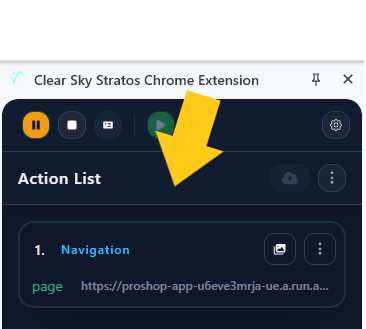
Action List
View a detailed list of all recorded actions. This feature allows you to review and organize your actions before playback.
Actions Details
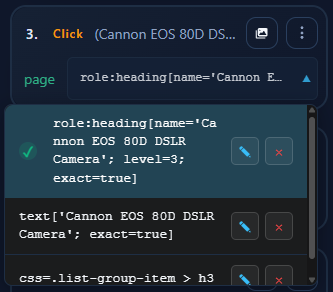
For each action you can see:
- Screenshot if one was taken
- Selectors generated by the recording
- Selector names
Modifying Actions
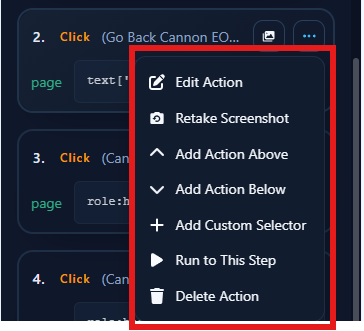
For each action you can:
- Delete it
- Edit it
- Move it up or down in the execution order
- Retake the screen shot
- Add new selectors
- Modify/delete existing selectors, change their priority