Upload Tests
Login to Extension
info
Make sure you are logged in to Stratos™ Extension. Being logged in to Studio is optional, but you should do so in case you want to check uploaded data right away.
Upload Tests
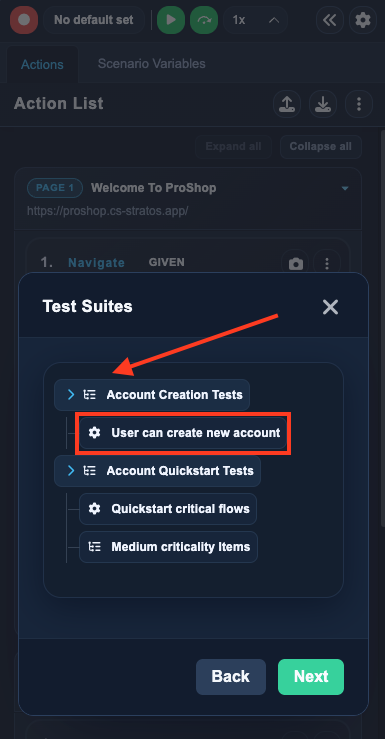
Set Test Suite and Feature
- Select the desired Test Suite with Feature
- Click the Feature name
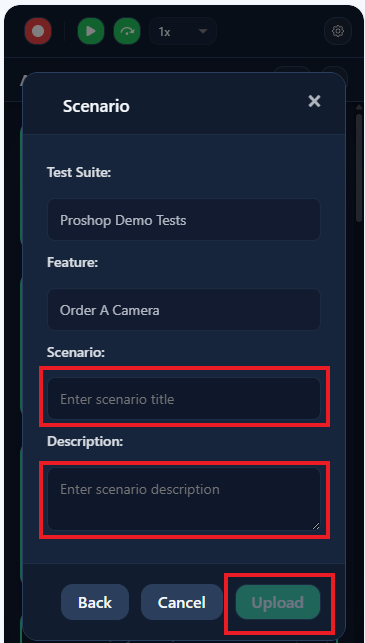
Set Scenario Details
- Enter the Scenario Title required field
- Enter the Scenario Description optional field on demand
- Click Upload
Your test case has now been saved to the studio. So let's go check for it ...