Getting started
Start Now
Build your first test end to end: open the extension, record a workflow, and upload it to Studio.
info
If you have not already done so, you can download the Stratos™ Chrome Extension from the Chrome Store.
Ready to build your first test?
Get started by:
- Launching your Google Chrome browser
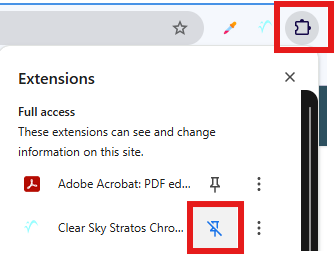
- Clicking on the extension icon in the toolbar to open the Extensions list.
- Selecting the Stratos™ Chrome Extension to open the extension panel.
Now let us take a look at some of the basics of the extension.