Page Health
Page Health analyzes the current page against best practices and reports issues that can make tests brittle or the page less accessible.
Running a check
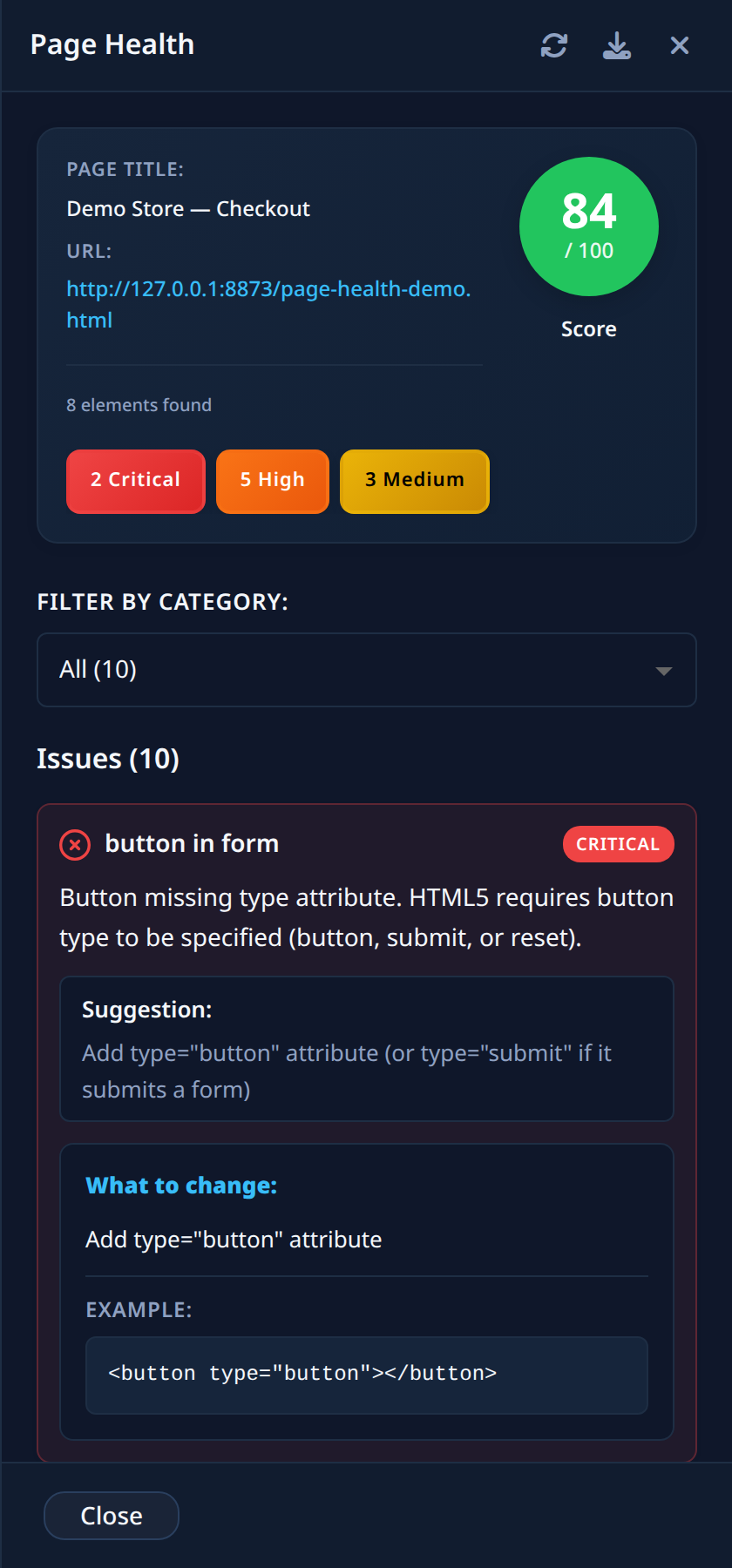
Open the ⋮ menu in the Action List header and select Check Page Health. The panel analyzes the page and shows:
- The Page Title, URL, and the number of elements found
- A Score out of 100
- The list of Issues, each with the affected element, a category badge, and a Suggestion (often with a concrete What to change and Example)
- General Suggestions for the page as a whole
Filtering issues
Issues are grouped by severity: Critical, High, Medium, and Low. Use the severity badges or the Filter by Category dropdown to focus on one severity at a time.
PDF report
Click the Download PDF report button in the panel header to save the full report as a PDF — convenient for sharing findings with your team.
tip
Use Refresh page health after fixing issues to re-run the analysis, and watch the score improve. If everything is in order you will see: "Great! No issues found. Your page follows best practices."