Organization
Everything above a project belongs to the organization: who may sign in, what they may do, and the defaults every new project inherits. The three pages in this section — Organization, Users, Roles — sit under Administration in the sidebar.
They are administrative screens. If your role does not include them, they will not be in your sidebar, and nothing on these three pages is something you need in order to write and run tests.
Manage Organization
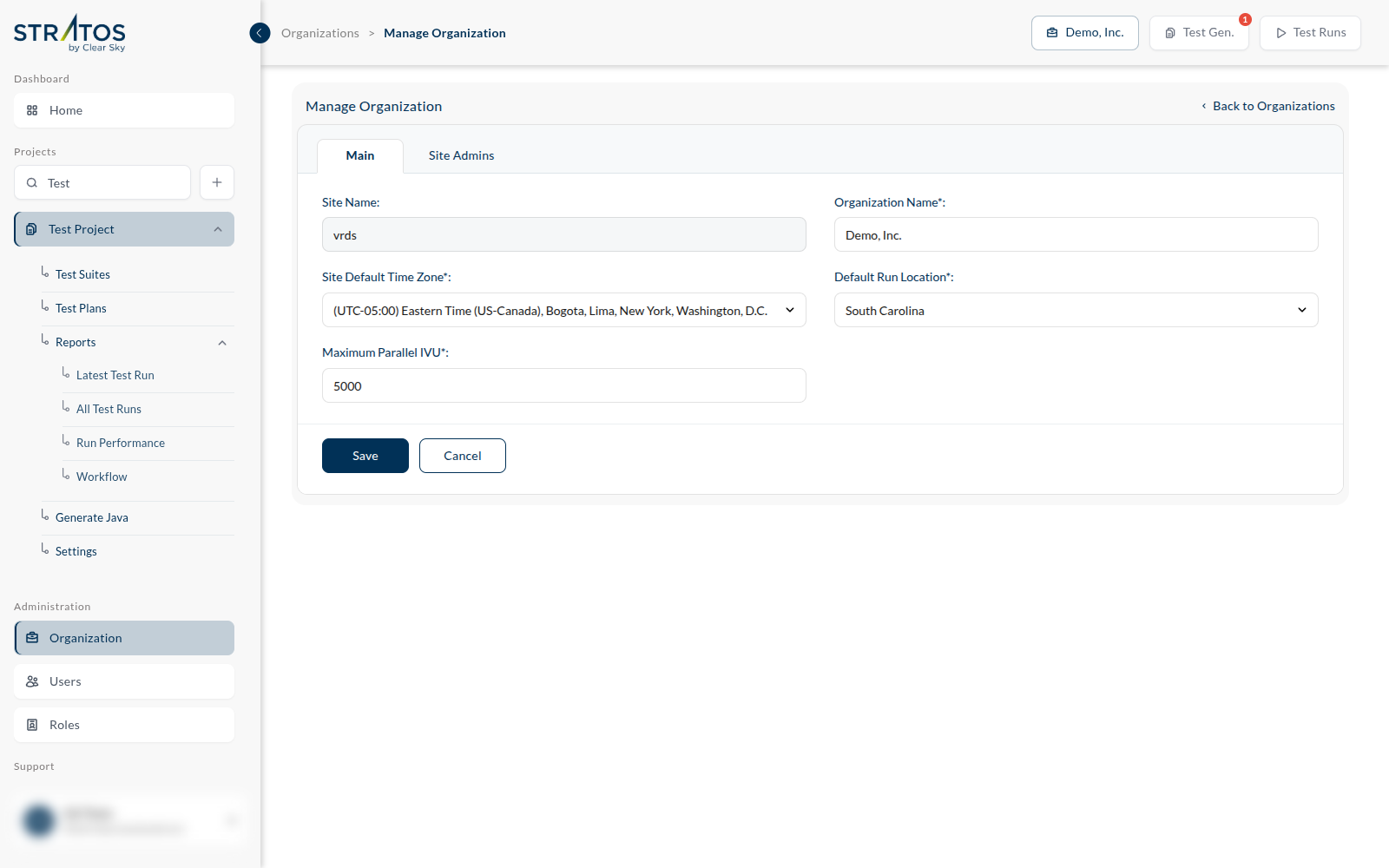
The Main tab holds the settings that apply to everyone:
| Site Name and Organization Name | what the organization is called |
| Site Default Time Zone | the time zone a new user starts with — each person can then set their own in their profile |
| Default Run Location | the region new projects run in unless they say otherwise |
| Maximum Parallel IVU | the ceiling on concurrency. A project may set its Number of Parallel IVU to whatever it likes below this. It is the lever that stops one enthusiastic test plan from consuming the whole organization's capacity. |
The Site Admins tab lists the people who administer the site.
The organization switcher
The organization's name is in the header, top right. If your account belongs to more than one, that control is how you move between them — and everything else on the screen, projects included, changes with it.