Roles
A role is a set of permissions with a name. People get roles; roles carry rights. Change what a role may do, and everyone holding it changes with it.
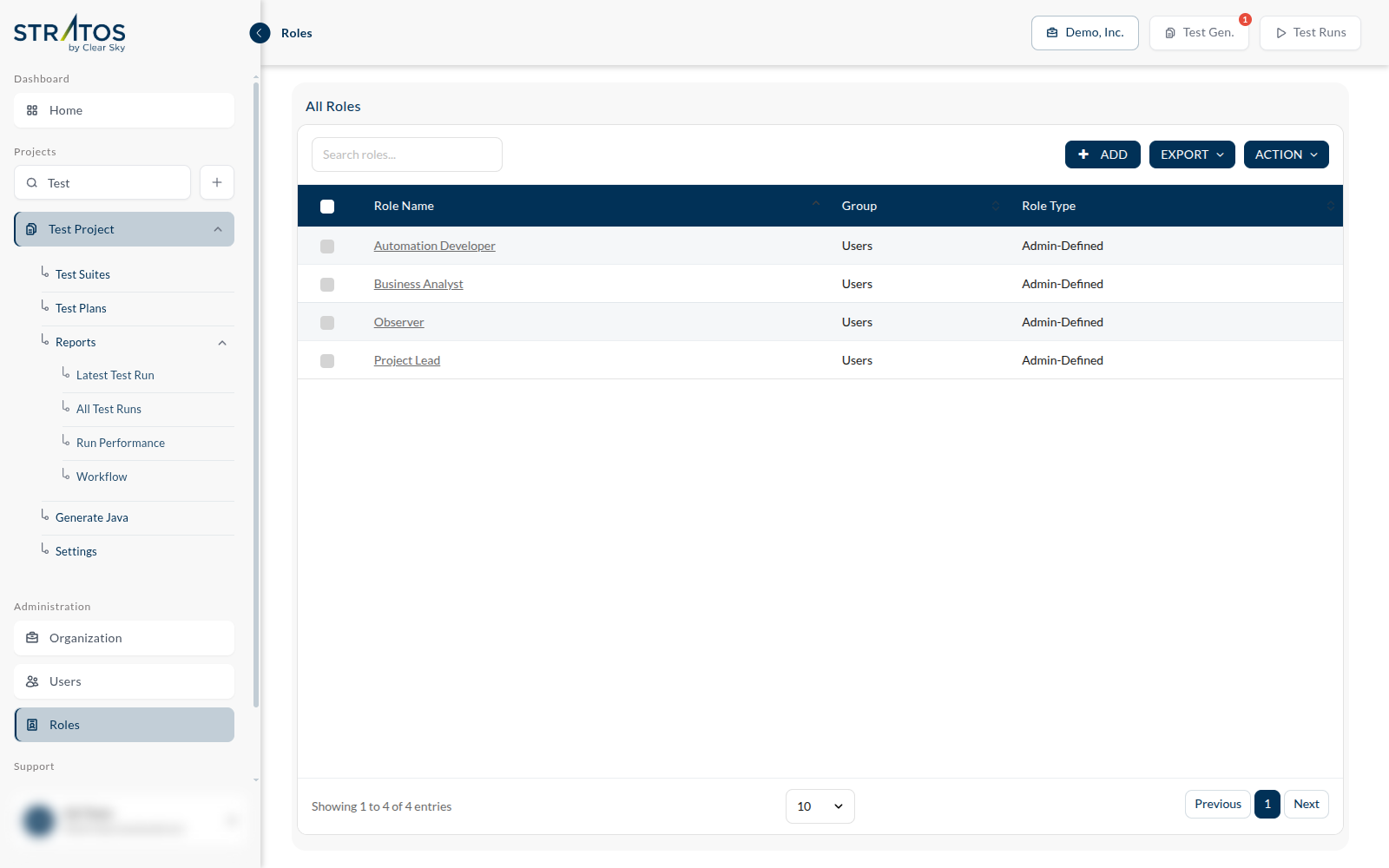
Administration ▸ Roles lists them. Each shows its name, its group, and its type — a role your administrators defined reads as Admin-Defined.
This is an administrative screen. If your role does not include it, Administration will not be in your sidebar at all.
What a role can grant
Open a role and you get the permission matrix. It has five sections, and it is worth reading once in full, because it is a fair summary of everything Studio does.
| Section | What it covers | Rights |
|---|---|---|
| Test | Project, Test Suite, Feature, Scenario, Test Plan | View · Create · Edit · Delete |
| Reports | Test Results, Performance, Workflow | View · Edit · Delete |
| Settings | Project Settings | View · Edit |
| Generate | Java, Gherkin | allowed or not |
| Run | Run Tests | allowed or not |
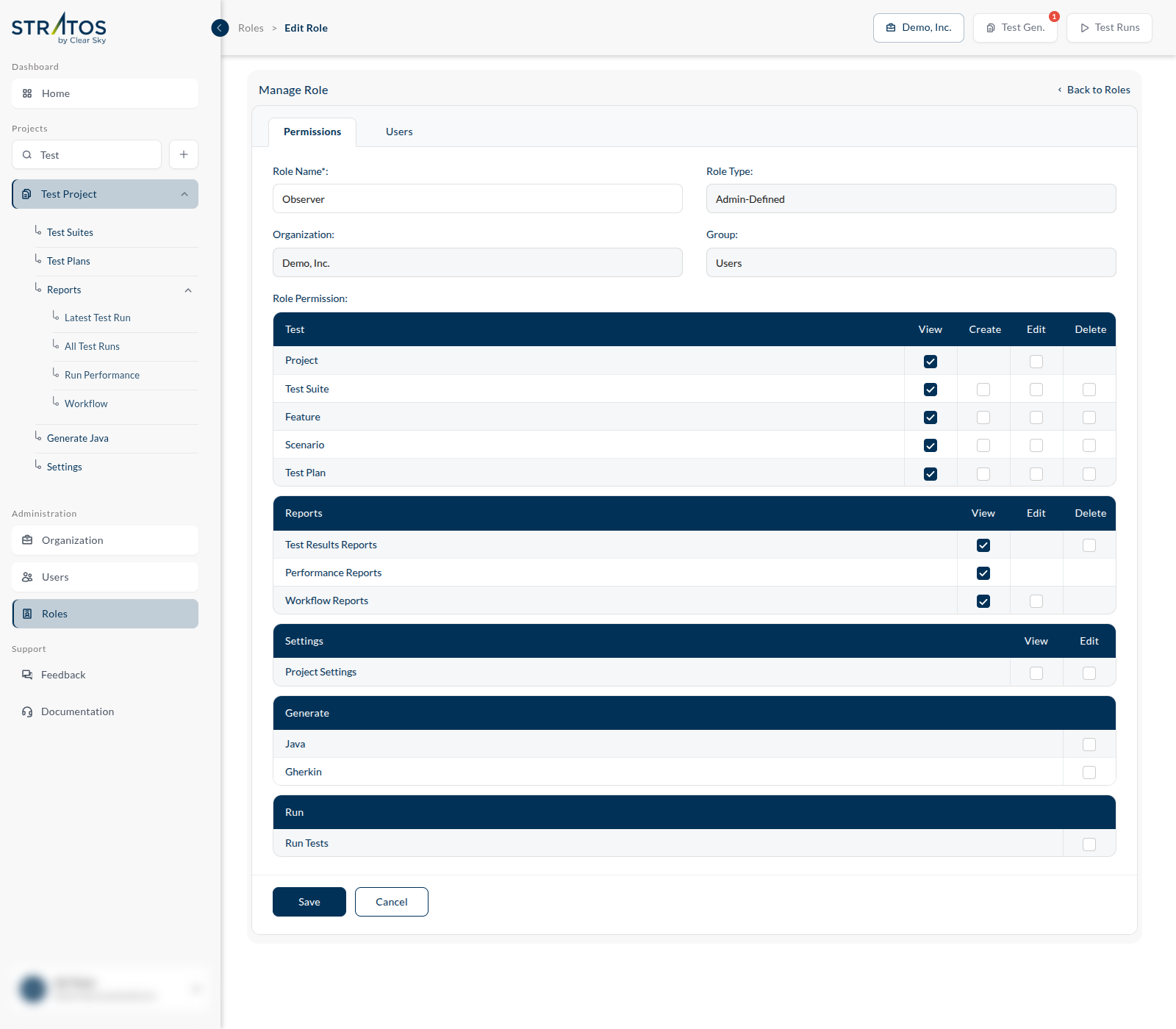
Two of these are worth pausing on. Run Tests is a right of its own: someone can be trusted to read every report in the organization and still not be able to start a run against production. And Delete is separate from Edit everywhere it appears — most people who need to change a test have no business removing it.
The Users tab of a role shows who holds it.
A worked example
The Observer role, as shipped in a demo organization, has View ticked across Test and Reports — and nothing else. No create, no edit, no delete, no generate, no run.
That is a useful shape to copy. Someone who needs to see whether the build is green — a product manager, a stakeholder, a new joiner in their first week — needs exactly this and nothing more. Give the smallest role that does the job; it is easier to add a right than to explain a deleted test suite.