Projects
A project is one application under test. Everything else — suites, features, plans, reports — belongs to a project, and nothing crosses between them.
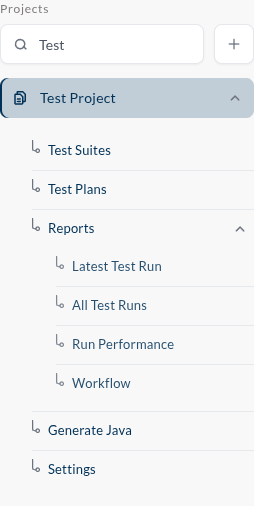
They are listed in the sidebar. Click one and it opens into the menu you will use for the rest of your work: Test Suites, Test Plans, Reports, Generate Java, Settings. The Search project box above the list filters it, which is worth knowing the day your organization has forty of them.
Creating one
The + beside the search box opens Add Project. Five things are required, and one of them deserves the paragraph below it:
| Project Name | what you will see in the sidebar |
| Java Package Name | the package name used if you ever export the tests as Java |
| Run Location | the region tests run in by default |
| Run Browser | the browser tests run in by default |
| Number of Parallel IVU | how many tests may run side by side by default |
Those last three are defaults, not laws — a test plan can override any of them. Set them to whatever your team does most often, and stop typing it again.
Target environments
The fifth required thing is a target environment, and it is the idea that makes the whole product portable.
An environment is a name — TEST, STAGING, PROD — holding a list of destinations. A destination is a name mapped to an address:
| Destination Name | Destination Address |
|---|---|
SHOP | https://shop.test.example.com/ |
ADMIN | https://admin.test.example.com/ |
A recorded test does not remember the URL it was recorded against. It remembers the destination name. So the same test, unchanged, runs against staging or production by choosing a different environment — one that maps the same names to different addresses. Add New Environment adds another; the settings let you edit them later.
Name destinations after what they are, not where they are today. CHECKOUT survives a domain change; shop-staging-v2.example.com does not.